
Spam text filter for iPhone
Junk texts,
out of sight.
Pick a ready-made list or write your own words. Matching texts from unknown numbers go straight to Junk.
Coming soon to the App StoreFiltering happens on your phone. No account, no analytics.
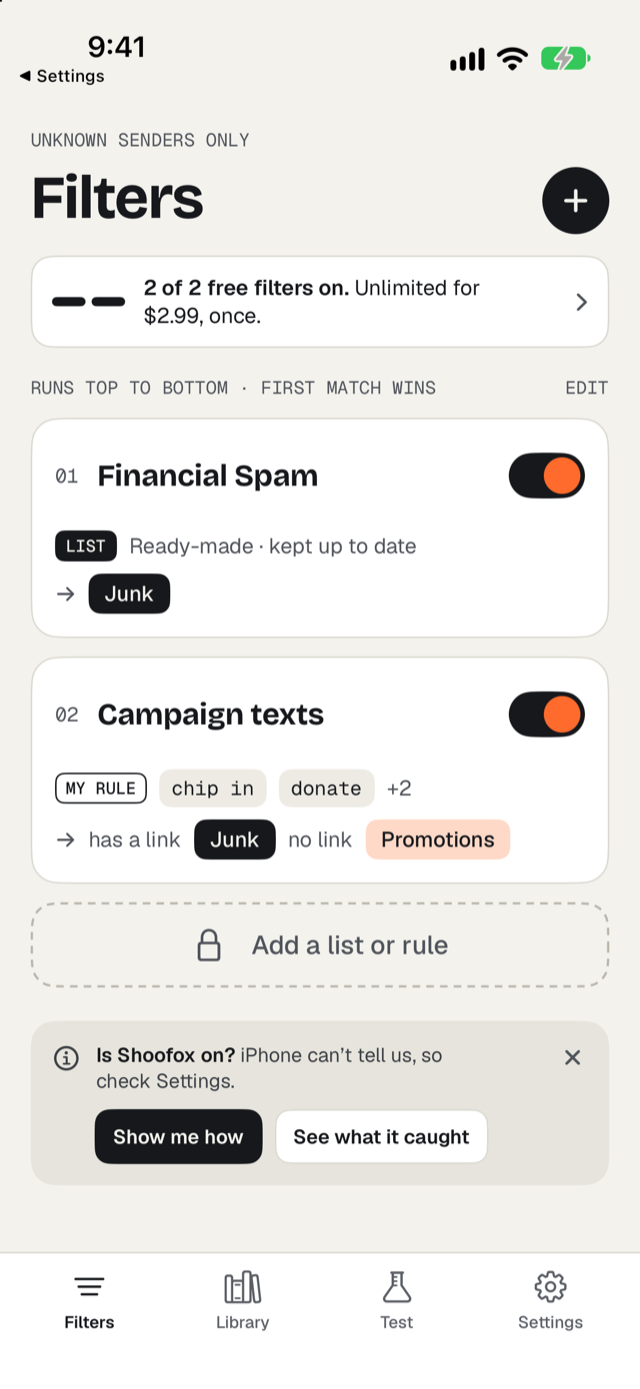
Ready-made lists
You don't have to work out what to block.
Each list holds the words and phrases a kind of spam really uses. Turn one on, tap any word to skip it, and choose where matches go.
Delivery Scams
Fake carrier texts about held packages and small fees.
Toll & Fine Scams
Unpaid-toll and ticket notices that push you to a link.
Political Spam
Fundraising, polls and rally texts from numbers you don't know.
Plus Financial Spam, Prizes & Giveaways, Crypto & Trading, Wrong-Number Openers and Job Offer Scams.
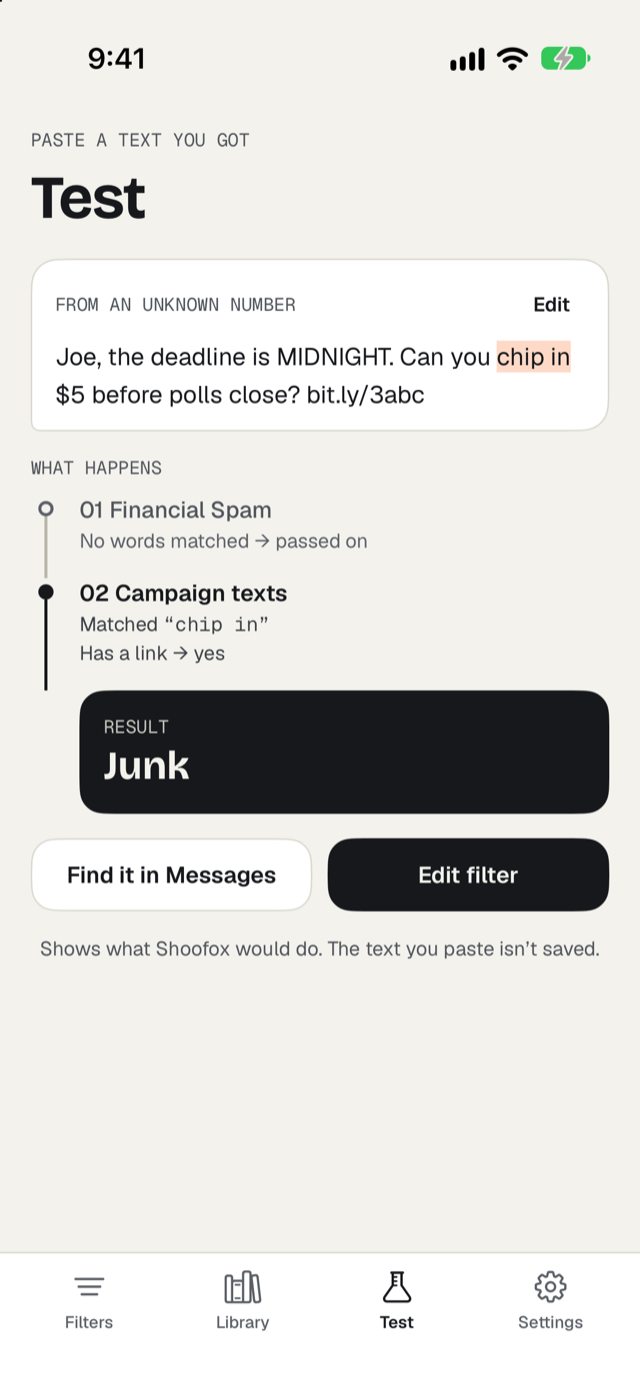
Your own rules, and a way to check them
See exactly where a text would go.
Build a rule in plain steps: if a text contains these words, check whether it has a link, then send it to Junk or Promotions. Rules run top to bottom and the first match wins.
Paste any text into Test and Shoofox shows each filter it passed through and the result. The text you paste isn't saved.
Free, or once
Once. Not a subscription. Shared with your family.
| Free | Unlocked | |
|---|---|---|
| Lists and rules on | 2 | Unlimited |
| Browse and test every list | Yes | Yes |
| Rule wizard: paste a spam text, get a rule | Preview | Yes |
What iPhone allows
Plain about the limits.
iPhone lets a filter app sort texts from unknown senders into Messages' Junk, Promotions or Transactions folders. It never passes the app iMessages or texts from your contacts, it doesn't let any app delete texts, and only one filter app can be on at a time. You choose Shoofox in Settings after installing.